How to use CareClinic
Your clinic's whole day, in 10 simple steps.
From signing up to closing the cash drawer. Each step says who usually does it and where to find it, so you can share this page with your team on their first day.
Follow one patient, Mr. Rao, from the front desk to the doctor, the dentist, the lab, the pharmacy, a ward and the operation theatre, and see what the owner sees at the end of the day.
- 1Owner
Start your free trial
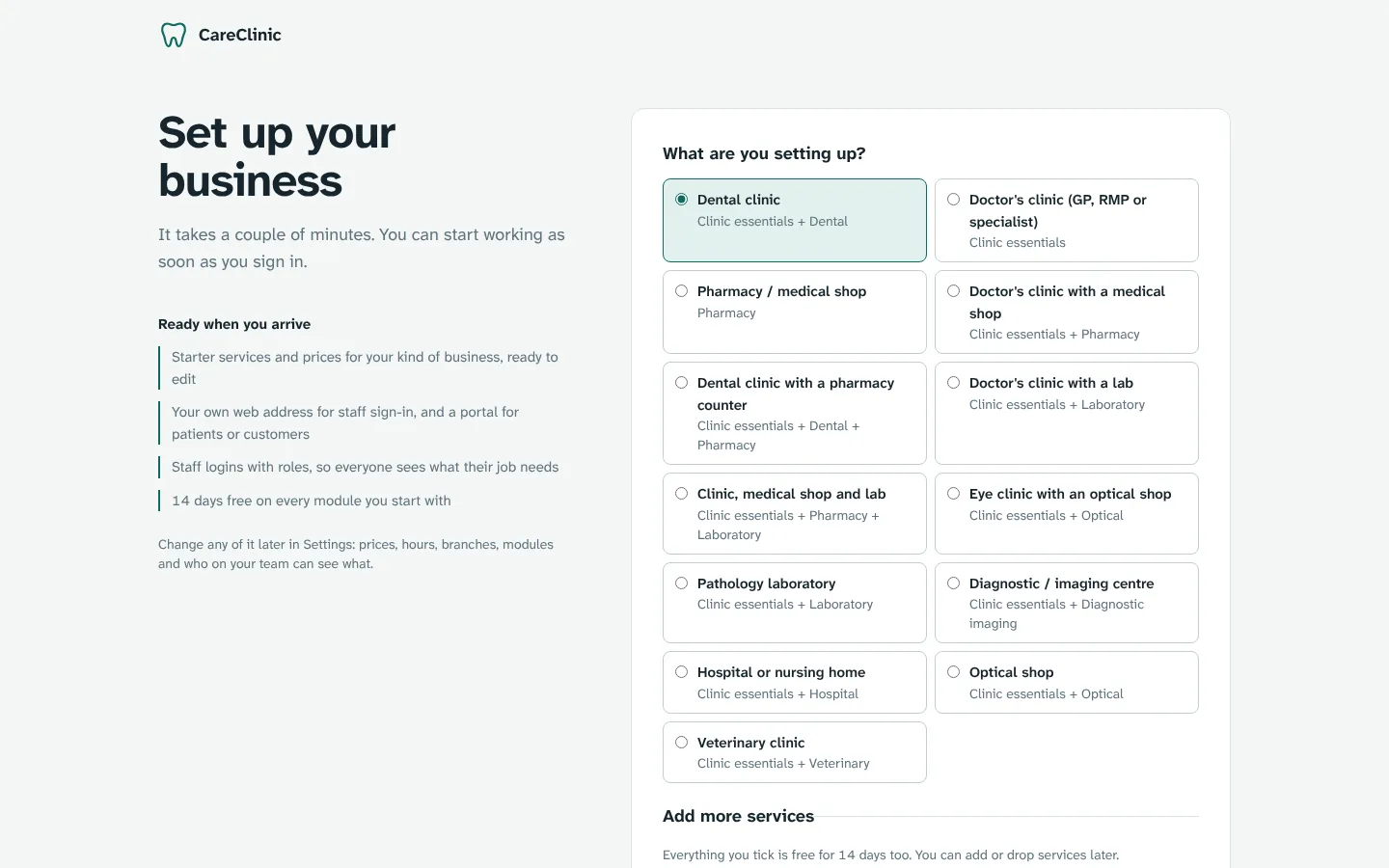
Pick what your business is (dental clinic, doctor's clinic, medical shop, lab or a mix) and the services you offer. Choose your web address, like ravi.millish.shop, and you're in. No card needed for the trial.
- Sign in later with Google, or with your email and password.
- The services you pick decide which modules switch on. You can add more later.
Where: millish.shop → Start free trial
- 2Owner
Finish the setup checklist
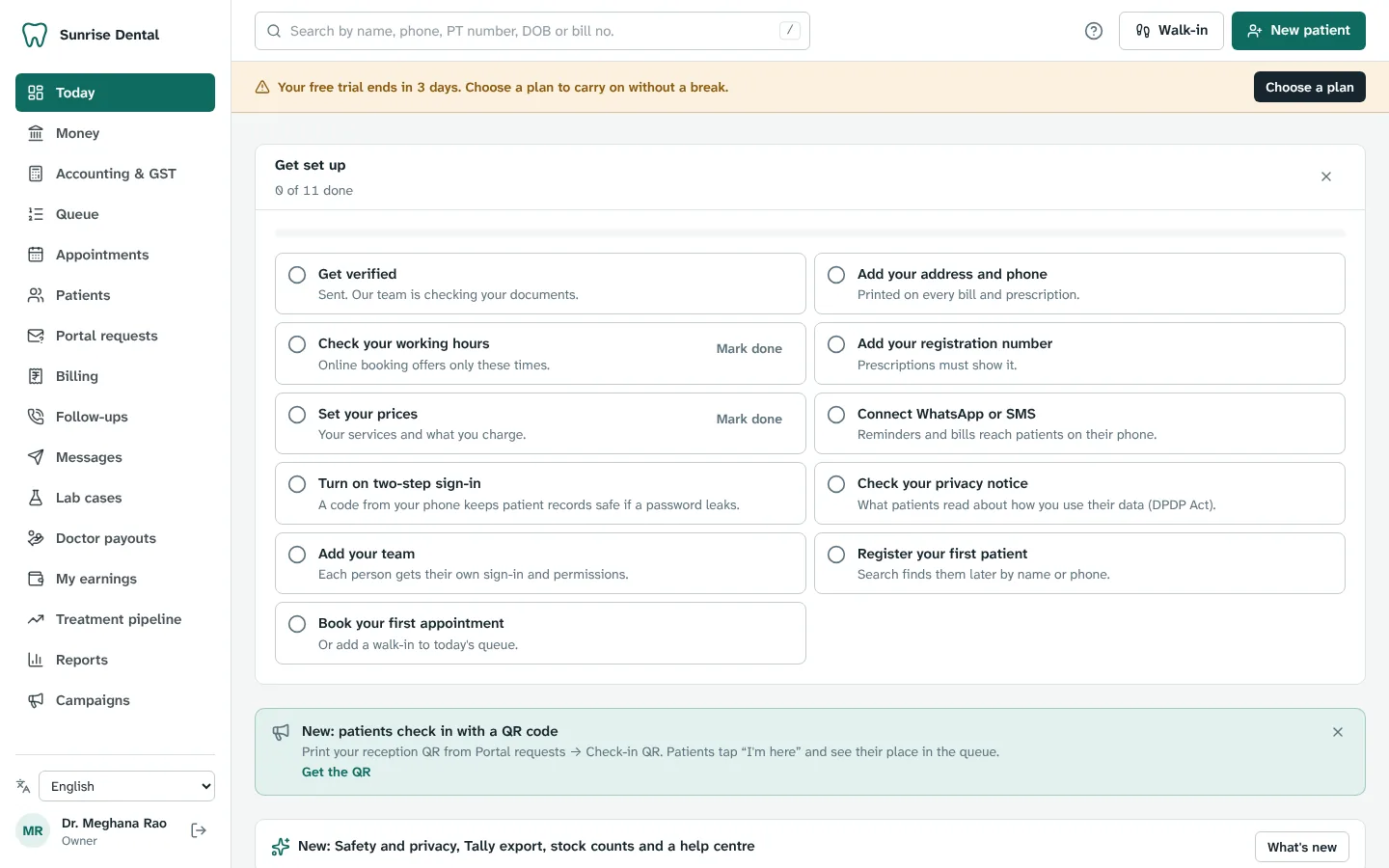
The first time you open Today, a short checklist walks you through the basics: address, opening hours, your registration number and the prices of your services. Each item takes a minute or two.
- Your letterhead, bills and prescriptions use these details.
- Hide the checklist once you're done; it's always in Settings.
Where: Today → Get set up
- 3Owner
Add your team
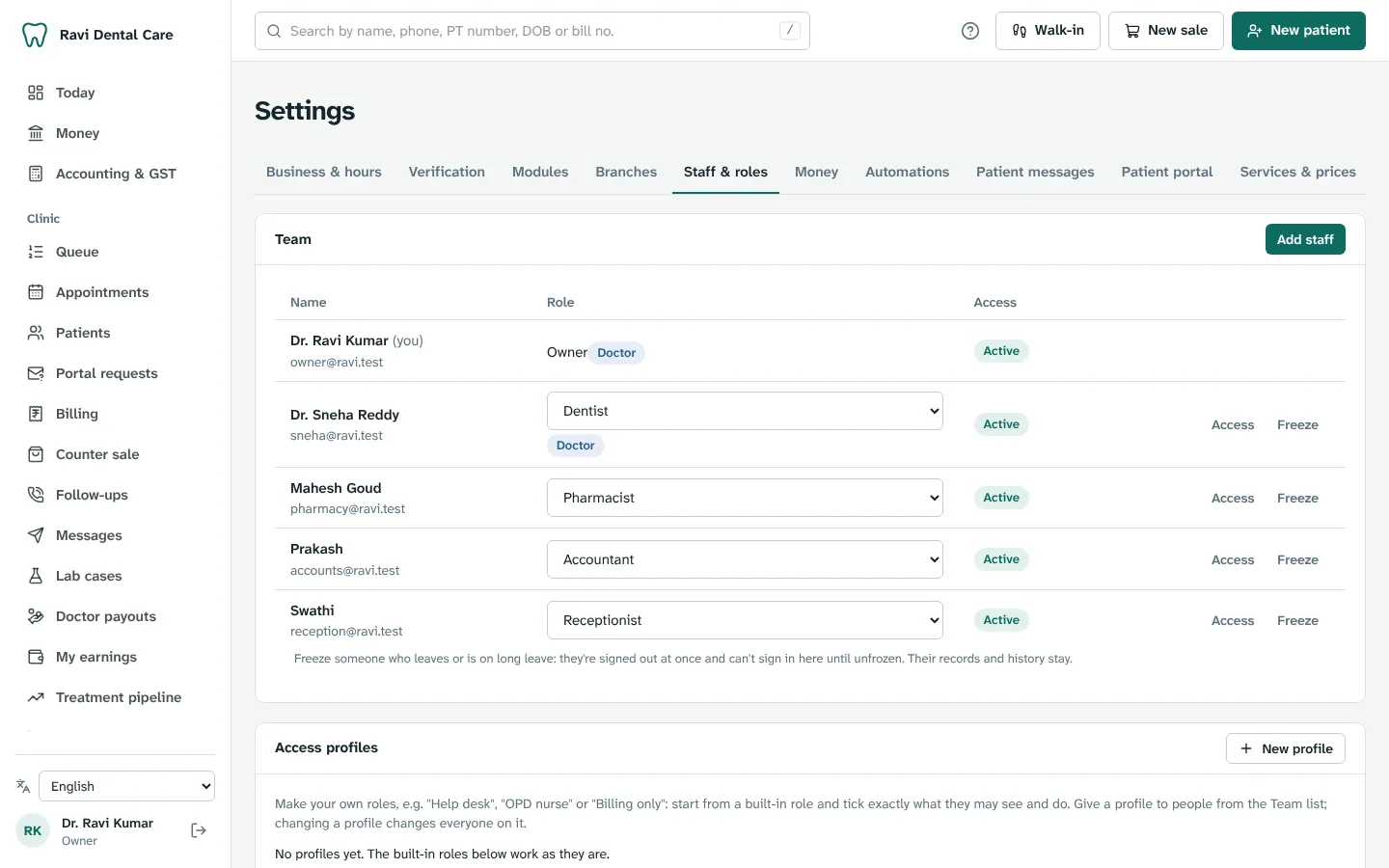
Invite your doctors, receptionists, accountant and assistants by email. Each person gets a role, and the role decides what they can see and do. A receptionist can't open clinical notes; an assistant can't see bills.
- Set discount limits per role so big discounts need your PIN.
- Remove someone in one click when they leave. Their history stays.
Where: Settings → Staff & roles
- 4Reception
Register patients
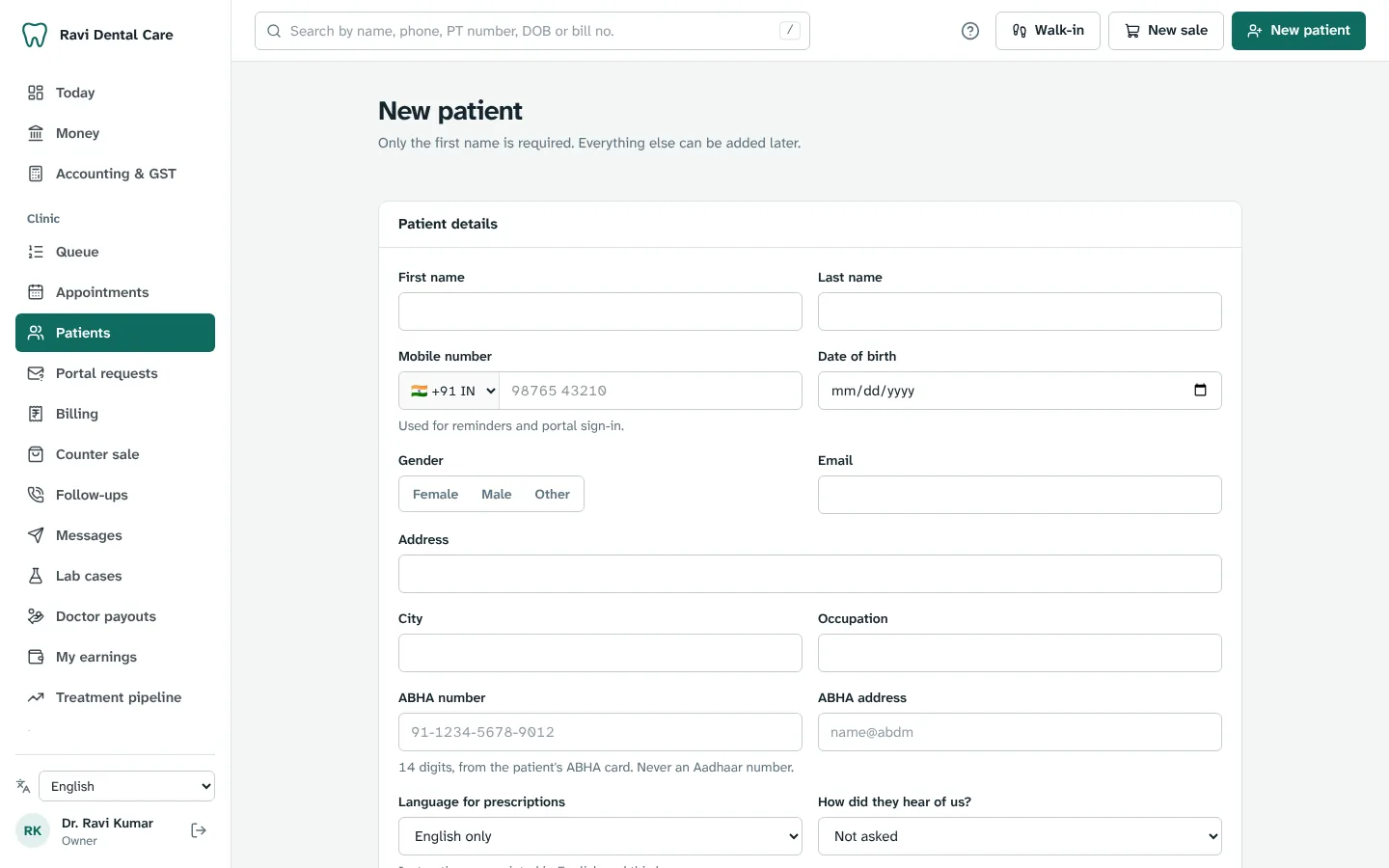
Add a patient with name and phone. CareClinic warns you if they're already registered. Record allergies and medical alerts once, and they show on every screen the doctor opens.
- A family can share one phone number, and a parent can switch between their own and their children's records.
- Set the language for their prescriptions.
Where: Patients → New patient
- 5Reception
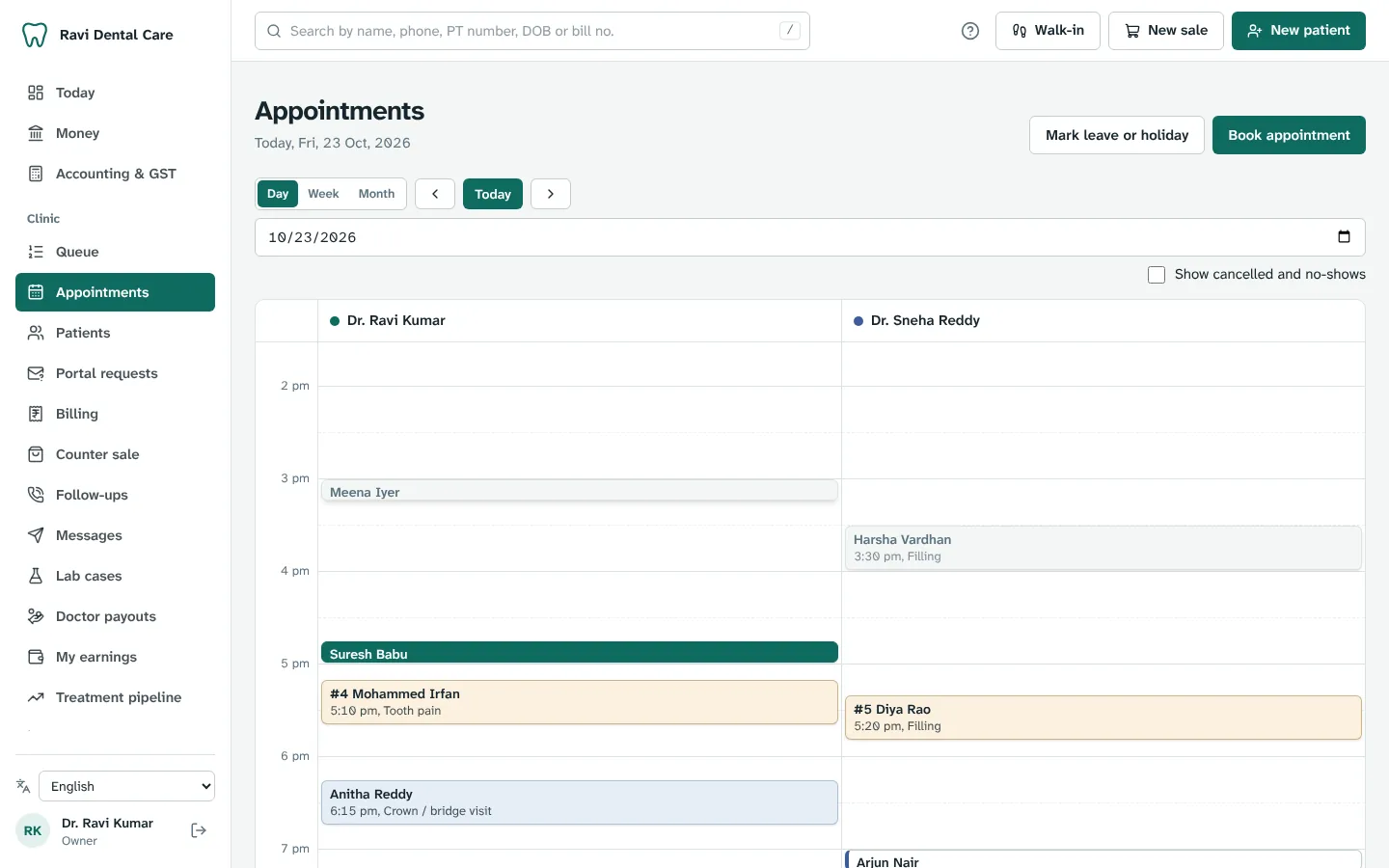
Book appointments
Book from the day calendar per doctor and chair, or let patients book themselves on your clinic page. A slot can't be given away twice, and leave and holidays are blocked automatically.
- Patients who often miss appointments are flagged when you book.
- Reminders go out by WhatsApp or SMS the evening before.
Where: Appointments
- 6Reception
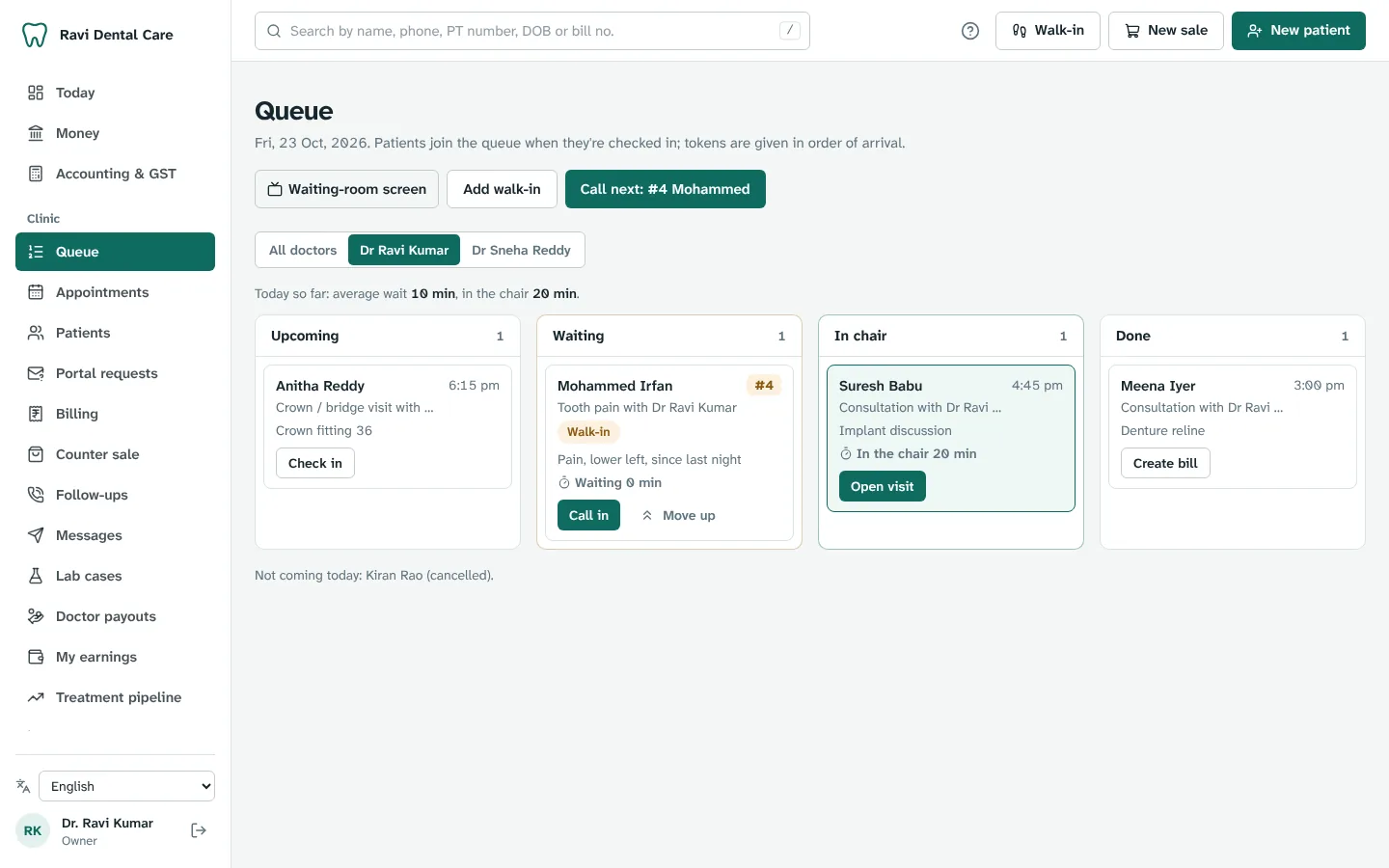
Run the day from Today
Today and the Queue board are the front desk's home: who's coming, who's waiting, who's in which chair and for how long. Check patients in, give walk-ins a token and call the next one.
- Wait timers turn amber at 15 minutes and red at 30.
- Emergencies, elderly and pregnant patients can move up the queue, with a reason.
Where: Queue
- 7Doctor
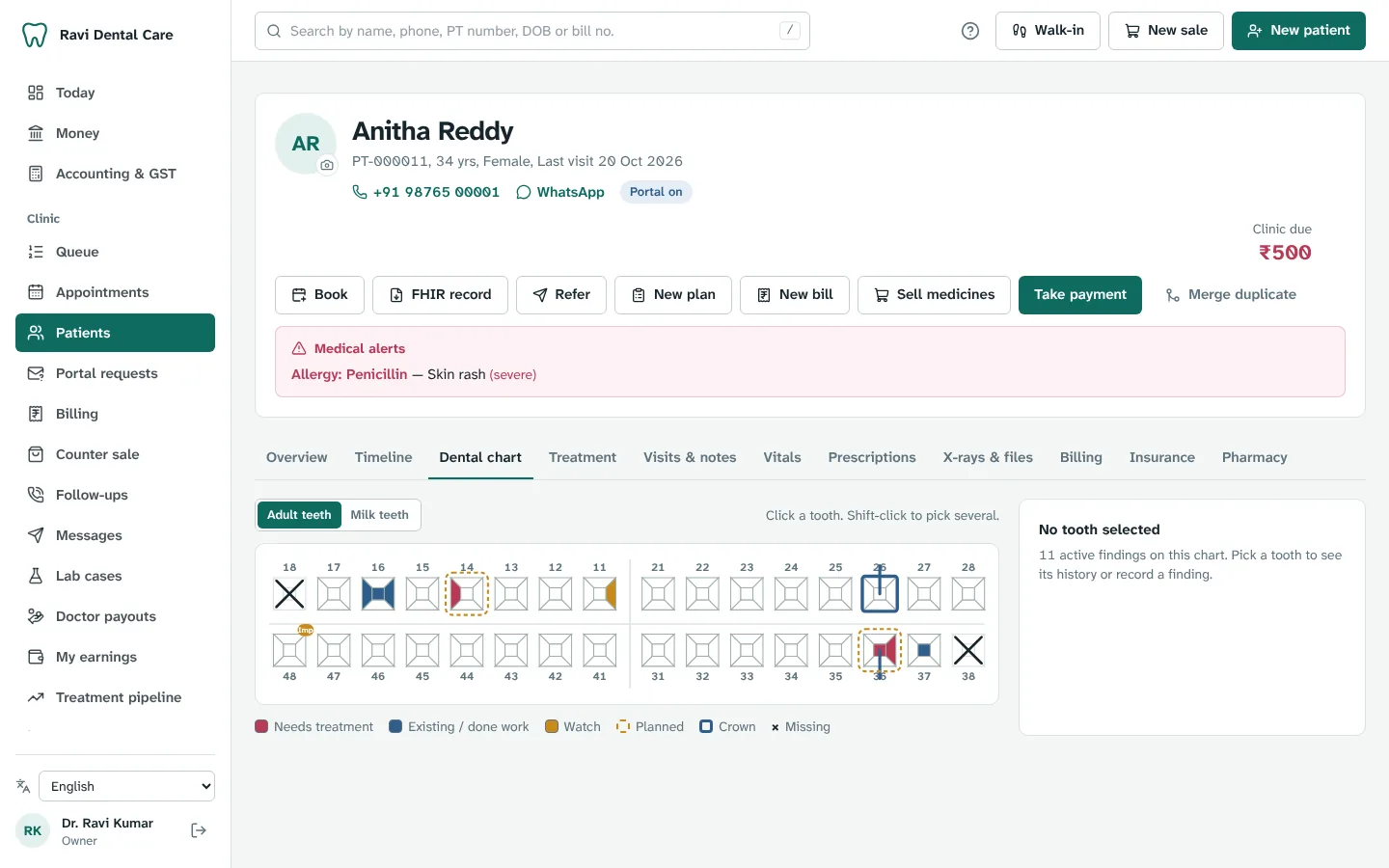
See the patient and record the visit
Record vitals, write notes from your templates, chart teeth on the dental chart and plan treatment. Write prescriptions in 1-0-1 style; CareClinic stops a medicine the patient is allergic to unless you give a reason.
- Send a treatment estimate that the patient approves on their phone.
- Prescriptions can add instructions in Telugu, Hindi, Tamil and more.
Where: Patients → open the patient
- 8Reception or accountant
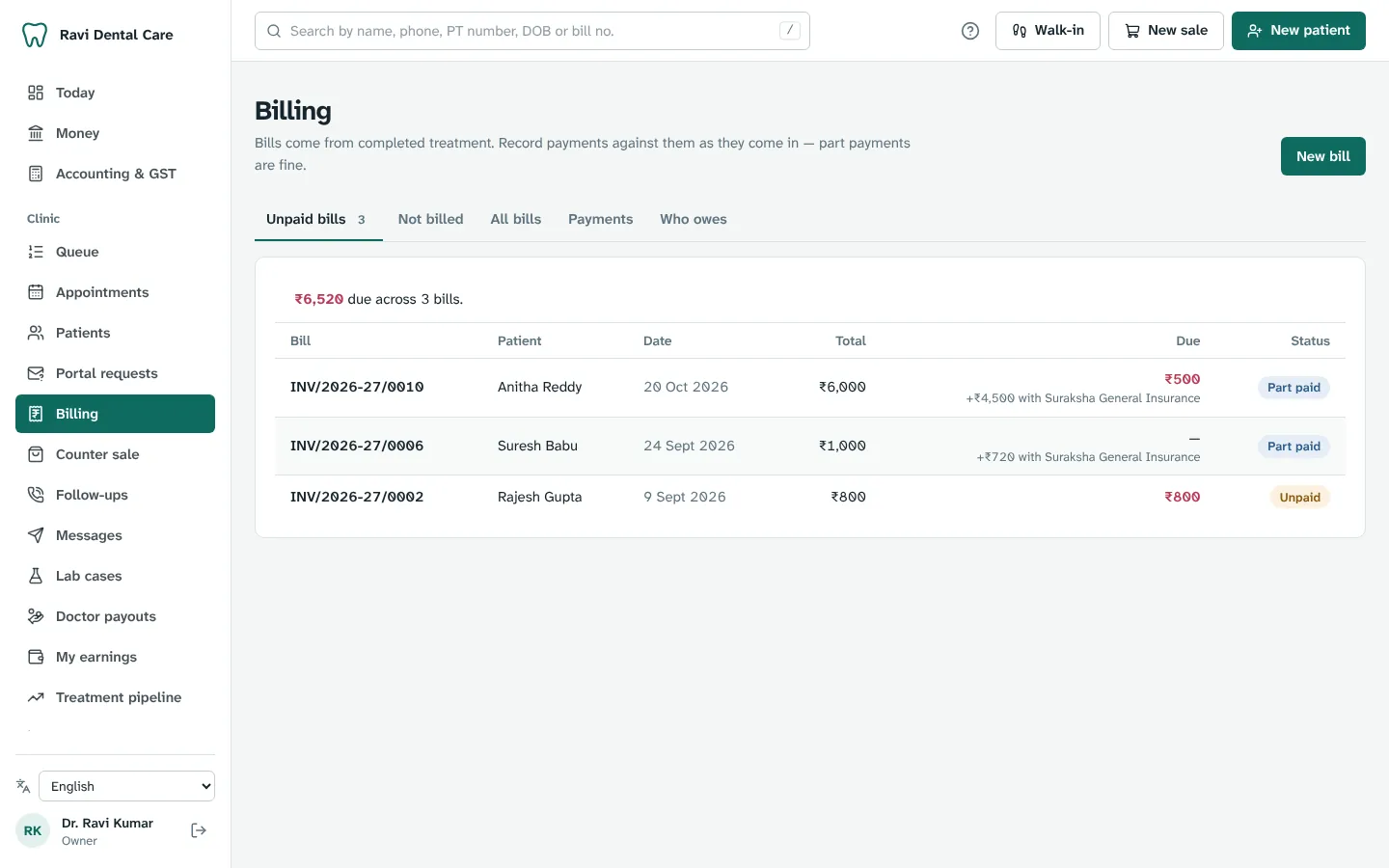
Bill and take payment
Bills number themselves for the financial year and work out GST line by line. Take cash, UPI, card or a part payment; whatever's left stays on the patient's account and on your dues list.
- The doctor's bill and the medicines can be paid once at one checkout.
- Cancel a bill with a credit note. Nothing is ever deleted.
Where: Billing
- 9Reception
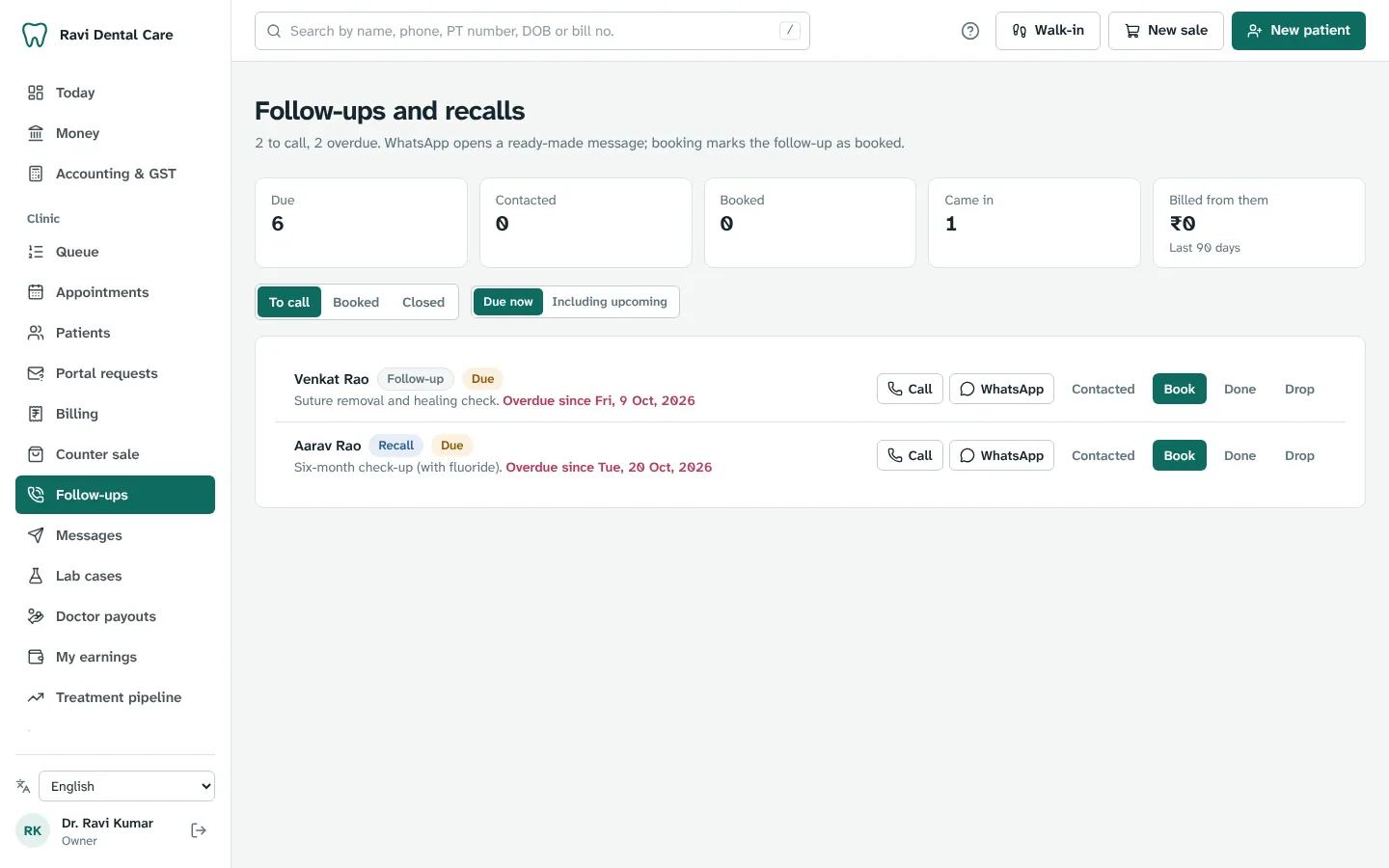
Follow up and stay in touch
Recalls and follow-ups are created when a visit closes, so the six-month check-up is already on the list. Call or WhatsApp the patient in one tap. Patients see their visits, bills and medicines in their own app.
- Patients sign in to their app with a one-time code on their phone.
- Due reminders for unpaid bills go out in one tap too.
Where: Follow-ups
- 10Owner
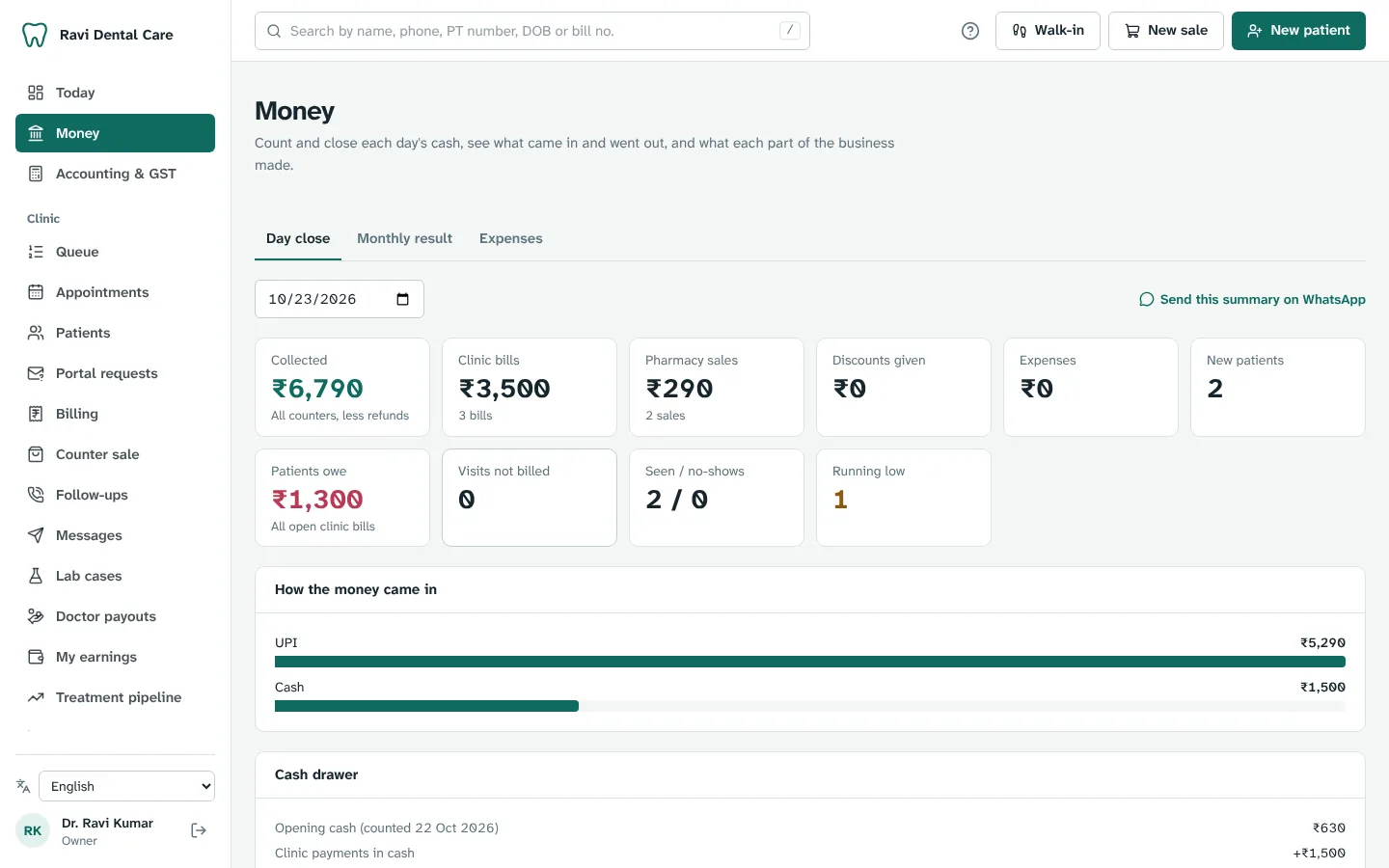
Close the day and check your numbers
The Money page gives the day's summary: collections by mode, discounts, expenses, dues and no-shows. Count the cash drawer and close the day, and look at reports whenever you like.
- Share the day's summary on WhatsApp.
- Export to CSV for your CA.
Where: Money → Day close, and Reports
Ready to try it with your own clinic?
Start a free trial and follow these steps as you go. Stuck anywhere? Open Help & support inside the app, or write to us.